Automator Application
As mentioned on this page, there are several different ways of making Mac OS X play more nicely with the UNIX and X11 tools that are hidden in the recesses of the command-line world. There still are certain important X11 applications around, especially in science, engineering and CAD, although clearly OS-X-native applications have taken over more and more. Some X11 applications like Gimp and Inkscape have already gone a long way toward integration with Mac OS X, e.g., in terms of copy-and-paste functionality, and the fundamental ability to launch the program from the Finder. The user's expectation is to be able to start Gimp by double-clicking either on the Gimp icon, or on an xcf file (that's Gimp's own format).
But not all X11 applications come with this ability. An example is xdvik, a viewer for TeX's dvi output files. It has some nice features that justify making xdvik the default application with which I want dvi files to open when double-clicked.
With this particular example, I'll describe how to create a launcher application that can be set as the default application for files with extension dvi. YIf you have a different program and file extension in mind, the replacements should be obvious. For example, the old xfig application and its fig format come to mind.
- Obviously, you should first check that you can run the desired program (
xdvik) from the command line - Create a new Automator "Application":
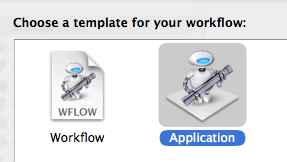
- Drag a "Run Shell Script" template into the workflow window:
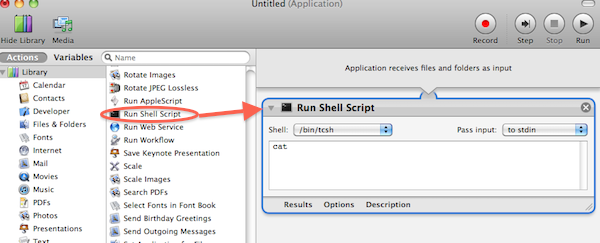
- Set the script template to
/bin/shand select "Pass Input: ... as arguments":
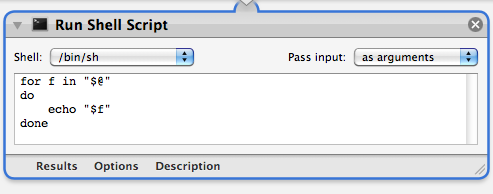
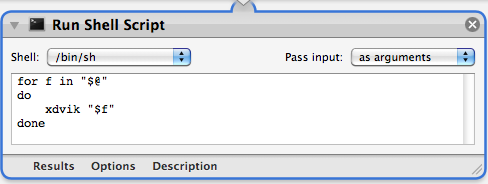
- Replace the template script code by
for f in "$@"
do
	xdvik "$f"
done
as shown here:
You could also sayexec xdvik "$@"&without the for loop. Then the application will also launch without anything dropped on it, and the script will quit after launching the command. - Save this project with
File Format: Application, and you're done. As a name for the application, you could chooseXdvik.
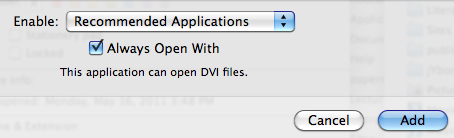
What remains is to tell the system that you want dvi files to open with Xdvik. To do this, select a dvi file in the Finder, and go to the Get Info menu. Under the Open with... tab, choose Xdvik (it should be reachable under "Other...").:
Finally, click "Change All":
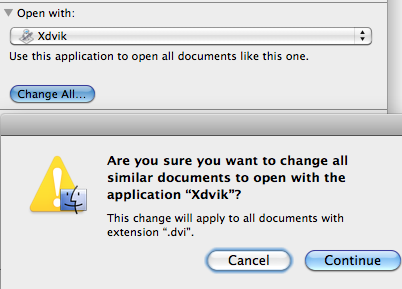
Confirm this action, and from now on all dvi files will be associated with the new Xdvik application.
noeckel@uoregon.edu Last modified: Sun Jul 31 23:35:35 PDT 2011